Contributors
Contributors
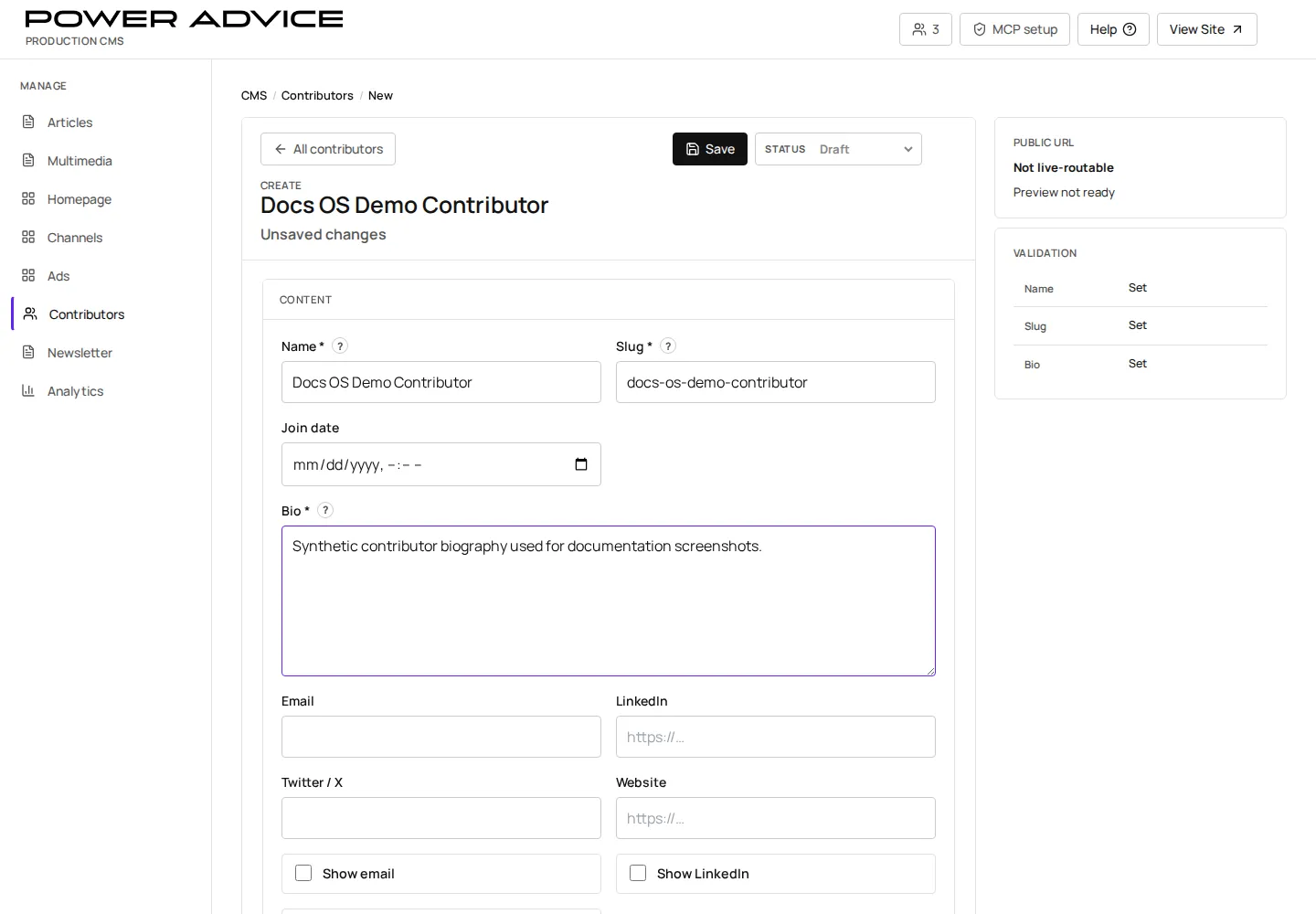
Section titled “Contributors”Use Contributors for public bylines, author profiles, and article attribution.
Operator focus
Section titled “Operator focus”Contributor records are the safer place to manage public identity and sponsor status when the same person or organization appears across many articles. This avoids repeating sponsor decisions article by article.
Prerequisites
Section titled “Prerequisites”- Name, profile slug, biography, headshot, title, organization, and public links are approved.
- Any related Article rows are ready to reference the Contributor.
- Open Contributors.
- Search for the person or organization.
- Create or edit the Contributor row.
- Add public profile fields, image, and links.
- Save draft.
- Preview the contributor profile and byline context.
- Publish when accurate.
Sponsor-status checks
Section titled “Sponsor-status checks”| Check | Why it matters |
|---|---|
| Contributor type | can identify sponsor/contributor behavior across multiple records |
| Organization and title | appears on public profiles and bylines |
| Headshot or logo | affects trust on article and contributor pages |
| Public links | can expose outdated or wrong sponsor destinations |
Resulting state
Section titled “Resulting state”Published contributors can appear on article bylines and public contributor profile pages. Draft contributors should not be used for public launch content.
Permissions
Section titled “Permissions”Contributor edits require CMS write access and editorial approval for public identity details.
Failure cases and recovery
Section titled “Failure cases and recovery”- Missing byline: publish the Contributor row or assign the correct author on the Article.
- Broken profile image: replace the image URL and verify the public profile.
- Incorrect biography: save a corrected draft, preview, publish, and verify related articles.