Multimedia
Multimedia
Section titled “Multimedia”Use Multimedia for podcast, video, interview, transcript, and media-feed entries.
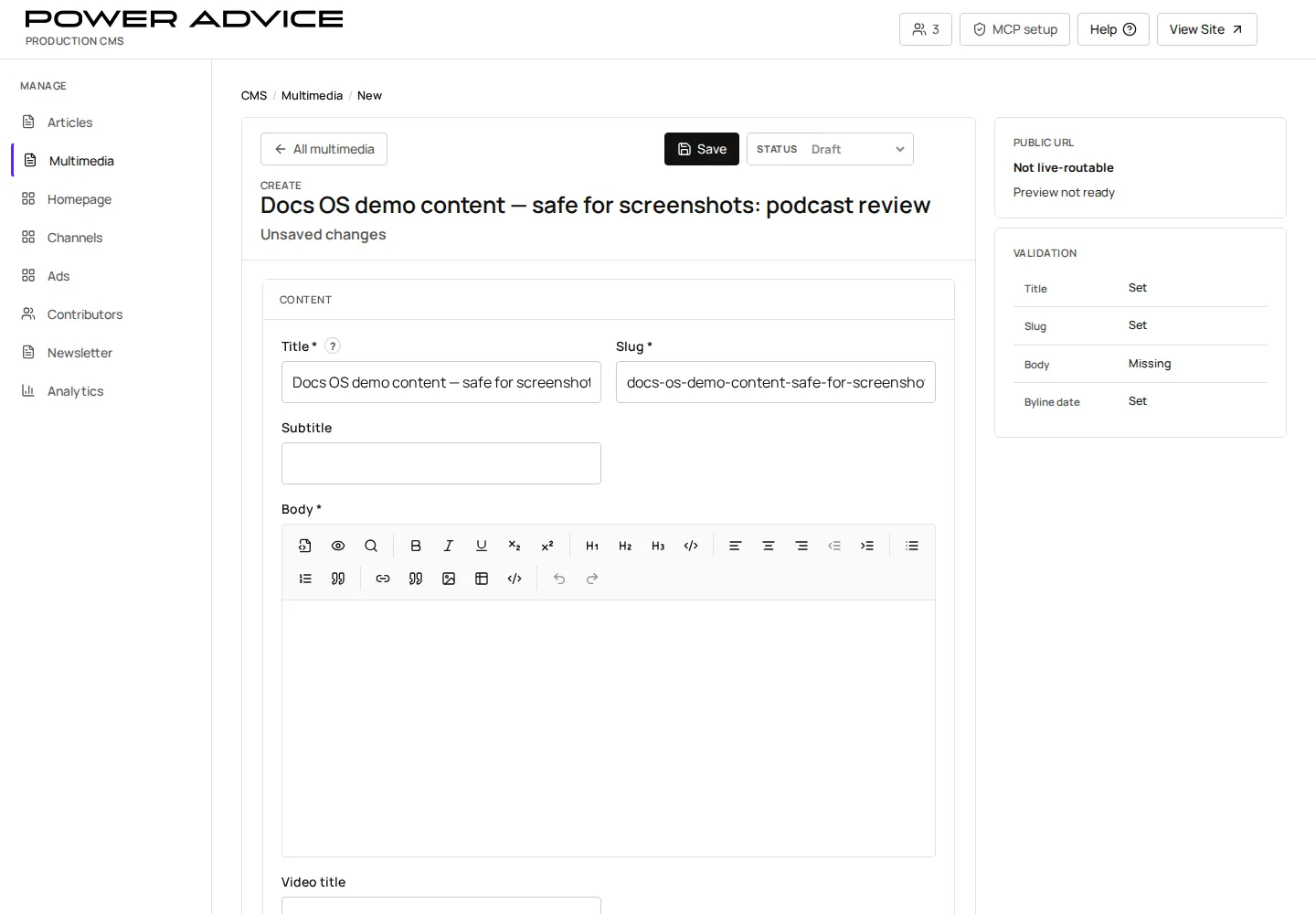
Operator focus
Section titled “Operator focus”Use this guide when an item is primarily podcast, video, interview, transcript, or feed content. The June walkthrough and July review both separated multimedia from ordinary article work because media records have extra fields and more image/feed failure modes.
Prerequisites
Section titled “Prerequisites”- The related article or media entry has approved title, slug, body, publish date, contributor, and lead image.
- Audio, video, transcript, and feed metadata are ready when the entry should appear on multimedia surfaces.
- Open Multimedia.
- Create or edit a Media entry.
- Add audio URL, video URL, transcript, video title, lead image, and media RSS fields as applicable.
- Save draft.
- Preview
/podcastsor the target media route. - Publish or schedule when validation passes.
Review checklist
Section titled “Review checklist”| Check | Why it matters |
|---|---|
| Media type | determines whether the public surface treats the record as podcast, video, interview, or transcript work |
| Audio/video URL | broken URLs create dead public media experiences |
| Transcript | often required for editorial quality and search/Ask context |
| Lead image | fallback images are a known review issue; use upload when paste is unreliable |
| Feed flags | controls whether the item appears in podcast/media feeds |
Resulting state
Section titled “Resulting state”Published multimedia entries become available to the /podcasts experience and any configured media feeds. Draft entries remain internal.
Permissions
Section titled “Permissions”Operators need CMS write access. Feed publication should be limited to approved audio/video items.
Failure cases and recovery
Section titled “Failure cases and recovery”- Broken media URL: replace the field and re-preview.
- Missing transcript: keep the entry draft until the transcript is available or explicitly approved as absent.
- Incorrect feed inclusion: remove the media RSS flag, save, and verify the feed.
- Repeated fallback image: capture the media slug and image source, then use upload rather than clipboard paste before escalating.